
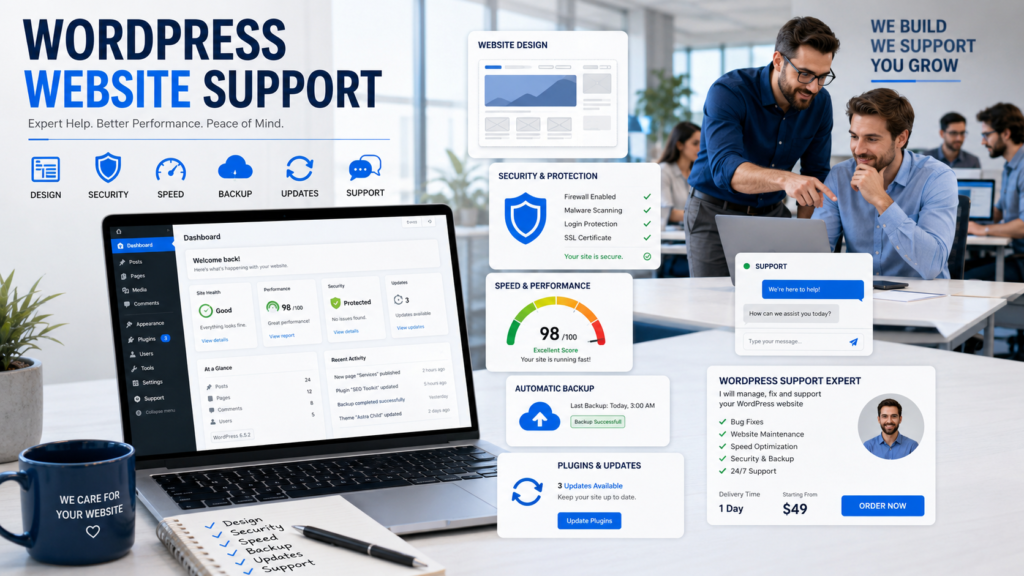
I still remember the first time I opened a WordPress dashboard and saw a warning on the screen. My heart dropped. I did not know if the site was broken, hacked, or just asking for a small update.
That small moment taught me one big lesson: WordPress website support is not a luxury. It is peace of mind.
A website can look beautiful on the outside. But behind the screen, many small things need care. Updates, plugins, themes, backups, speed, security, hosting, forms, pages, and design changes all matter.
When one small part fails, your visitors may leave. Worse, your sales may stop.
That is why this guide is for business owners, bloggers, shop owners, coaches, and service providers who want a clear path. I will explain WordPress website support in very simple words. I will also share my own real-life thoughts from working with websites and helping people understand why expert help can save time, stress, and money.
Outsource Your WordPress Technical Support
From minor layout edits and plugin configuration to complete optimization and core code management, get elite-level support whenever you need it.
Table of Contents
What WordPress website support really means
WordPress website support means getting help to keep your WordPress site working well. It can include fixing errors, updating plugins, improving speed, checking security, changing design, solving theme issues, and making sure the site is easy to use.
Many people think support is only for emergencies. I do not agree.
Good support is also prevention. It is like taking care of a car. You do not wait until the engine dies. You check it, clean it, and fix small issues early. This is the base of WordPress website support.
Official WordPress resources can help with basic learning. The dashboard Help tab, official documentation, support forums, and developer guides are common places to start. Community forums can also help, but many answers come from volunteers, so fast help is not always promised.
Quick View of WordPress Support Options
| Support Option | Best For | Main Limit |
|---|---|---|
| WordPress dashboard help | Basic screen guidance | Very limited |
| Official docs and guides | Learning WordPress steps | Can feel technical |
| Community forums | Common questions | Replies may be slow |
| Theme/plugin support tabs | Product-specific issues | Depends on developer |
| Professional team support | Fast and personal help | Paid service |
Support Option Best For Main Limited WordPress Dashboard Help basic screen guidance. Very limited official docs and guides Learning WordPress steps Can feel technical community forums: Common questions: replies may be slow. Theme/plugin support tabs Product-specific issues It depends on the developer. Professional team support Fast and personal help Paid service
Common Problems That Need Help
Most WordPress problems start small.
A contact form stops sending messages. A plugin update breaks the layout. The website becomes slow. A checkout page does not work. A page looks different on mobile.
These problems may look simple, but they can hurt your business.
| Problem | What It Can Cause | Why Support Helps |
|---|---|---|
| Slow website | Visitors leave fast | Speed checks and fixes |
| Plugin conflict | Pages break | Safe testing and repair |
| Security warning | Loss of trust | Malware scan and cleanup |
| Broken design | Poor first impression | Expert layout fixes |
| Failed update | Site errors | Backup and recovery |
Problem: What It Can Cause, Why Support Helps, and Slow Websites Visitors leave fast. Speed checks and fixes Plugin conflict: pages break Safe testing and repair Security warning: Loss of trust Malware scan and cleanup Broken design, poor first impression Expert layout fixes Failed update site errors Backup and recovery
A good website should not make you feel worried every week. It should help your business run smoothly.
Free Help vs. Expert Help
Free help is useful.
You can search the WordPress forums, read the Codex, check the Developer Handbook, join Facebook groups, or ask on question-and-answer sites. These places can teach you a lot. FreshySites also points to sources like dashboard help, Codex, the Developer Handbook, forums, theme/plugin support pages, Stack Exchange, Quora, Facebook groups, and professional support.
But free help has limits.
You may not know which answer is right. You may spend hours reading many posts. You may try one fix and create another problem. Also, your business may not have time to wait.
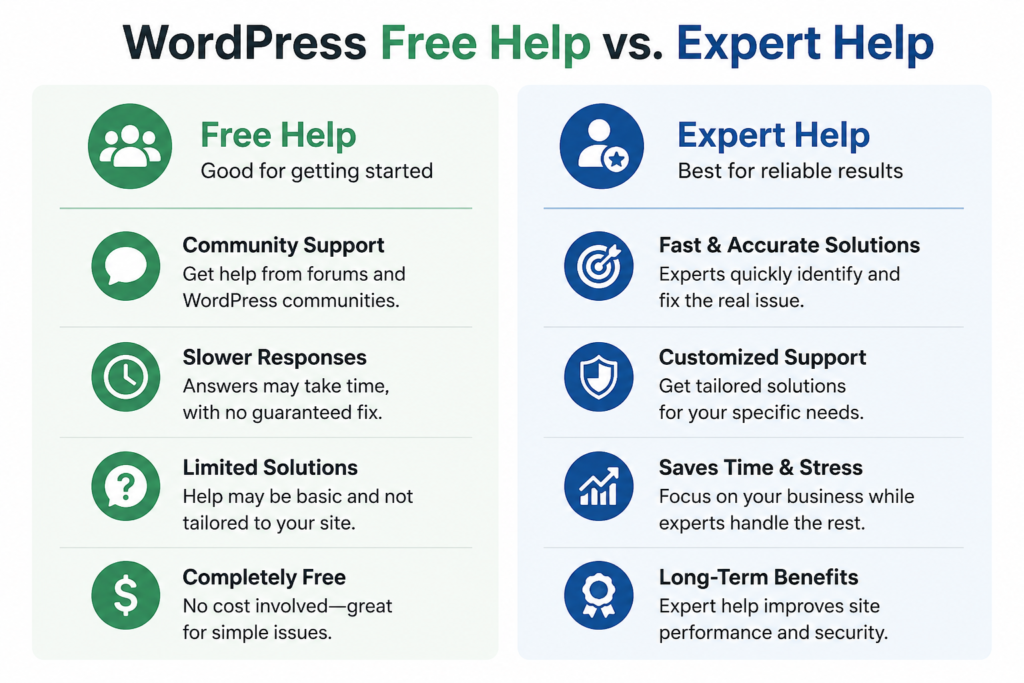
Expert help is different. A professional looks at your actual website, not just a general question. They can check the theme, plugins, hosting, database, and design together.
This is why professional WordPress website support is so useful for serious site owners.
Outsource Your WordPress Technical Support
From minor layout edits and plugin configuration to complete optimization and core code management, get elite-level support whenever you need it.
Best Places to Find Website Support WordPress Owners Can Trust
If you are not ready to hire anyone yet, start with trusted places.
The WordPress dashboard Help tab can guide you on the current screen. The Codex and Developer Handbook are strong learning tools. The official support forums are useful when you have a clear issue. Theme and plugin support pages can help when the problem is linked to one product. Stack Exchange, Quora, Reddit, Slack groups, and Facebook groups can also give ideas from real users.
But here is my honest advice.
Use free sources for learning. Use expert help for business problems. If your website earns money, brings leads, or represents your brand, do not treat it like a small hobby.
Support Source Comparison
| Source | Good Point | Best Use |
|---|---|---|
| Official WordPress docs | Trusted information | Learning basics |
| Forums | Real user answers | Common issues |
| Plugin/theme support | Direct product help | Plugin or theme bugs |
| Social groups | Many opinions | Ideas and simple tips |
| Professional team | Clear action and care | Business websites |
Source: Good Point Best Use: Official WordPress docs Trusted information, learning basics, forums Real user answers Common issues: Plugin/theme support Direct product help Plugin or theme bugs Social groups, many opinions Ideas and simple tips Professional team: Clear action and care Business websites
Why WordPress website support services? Matter for Business
Your website is often the first place people meet your brand.
If it loads slowly or looks broken, people may not trust you. If your contact form fails, you may lose a lead. If your checkout stops, you may lose sales.
This is why WordPress website support services are not just technical help. They are business protection.
Our team understands this deeply. We do not only think like developers. We also think like business people. We care about design, speed, user flow, trust, and conversion.
A website should not just exist. It should help you get more calls, more messages, more bookings, or more orders.
When you hire our team for WordPress website design on Fiverr, you get more than a page builder. You get a team that plans the look, structure, mobile view, user experience, and long-term care of your website.
Looking for a Reliable WordPress Support Company?
Ensure your theme updates, database backups, and security patches run smoothly without crashing your live traffic. We safely clone your site to staging, test compatibility, and maintain maximum uptime.
How WordPress website support plans work
WordPress website support plans are ongoing care packages.
They may include updates, backups, security checks, small edits, uptime checks, and monthly reports. Some plans are basic. Some are advanced. The best choice depends on your website size and how important your site is to your business.
A small blog may only need light care. A business website may need regular checks. An online store needs stronger support because every error can affect sales.
Before choosing a plan, ask yourself:
- Is my website making money?
- Do I update content often?
- Do I use many plugins?
- Do I sell products or take bookings?
- Do I need fast help when something breaks?
If you answer yes to most of these, you should not wait until a problem happens.
Personal Experience:
I have seen people panic over small WordPress errors. I understand that feeling because I have also been there.
One time, a simple plugin update changed the whole design of a page. The owner thought the website was ruined. But the real issue was a small conflict.
Another time, a contact form was not sending messages for weeks. The business owner did not know. They thought people were not interested. In truth, leads were trying to reach them, but the website was silently failing.
These real moments made me respect WordPress website support even more.
A website is not just code. It is a living part of your business. It needs care, testing, and human attention.
My practical tip is simple: never update a live business website without a backup. Always test important forms. Check your site on mobile often. Keep only plugins you really need. And when the site matters to your income, let experts handle it.
Why Hire Our Team on Fiverr
I can share my story as one person, but our service is built by a team.
Our team offers professional WordPress website design services on Fiverr for people who want a modern, clean, and business-ready website.
We help with:
- WordPress business websites
- Landing pages
- Blog websites
- Service websites
- Portfolio websites
- E-commerce design
- Responsive mobile design
- Speed-friendly layout
- User-friendly structure
Our team focuses on simple design that looks premium. We do not create messy pages. We build websites with clear sections, strong calls-to-action, easy navigation, and clean layouts.
The big reason to hire us is simple: you save time and avoid stress.
You do not need to fight with themes, plugins, and design settings. Our team can build the right foundation from the start.
If you want a website that looks professional and feels easy for visitors, order our Fiverr gig today.
WordPress Site Crashed or Showing Errors?
Don't let technical glitches hurt your business. Get instant expert support to fix critical bugs, white screen of death, plugin conflicts, and malware issues within hours.
How to Know You Need Help Now
You may need help now if your site feels slow, your pages look old, your design is not mobile-friendly, your forms are not working, or your visitors are not taking action.
You may also need help if you feel scared to touch your own dashboard.
A website should give you confidence. It should not feel like a problem you keep hiding from.
Good WordPress website support helps you feel in control. Better design helps your visitors trust you faster. When both work together, your site becomes a stronger tool for your business.
Conclusion:
WordPress is powerful, but it still needs care.
You can learn from official guides, forums, theme support pages, and online groups. These free places are helpful for simple learning. But when your website is important to your business, expert help is the safer choice.
WordPress website support can protect your site, save your time, and reduce stress. A strong design can also help your brand look serious and trusted.
If you want a clean, modern, and professional WordPress website, our team is ready to help you on Fiverr.
Outsource Your WordPress Technical Support
From minor layout edits and plugin configuration to complete optimization and core code management, get elite-level support whenever you need it.
FAQs:
Does WordPress have 24/7 support?
WordPress.com paid plans may offer support options. Self-hosted WordPress.org mainly uses docs, forums, and hosting support.
Why are people moving away from WordPress?
Some people want simpler tools. Others leave because they do not want to manage updates, plugins, hosting, and security.
How much does WordPress support cost?
It depends on the service. Basic help can be low cost. Ongoing expert care usually costs more.
How do I email the WordPress helpdesk?
You can try help@WordPress.com for WordPress.com support. LiveAgent lists this as a WordPress email support contact, while also noting that live chat and phone support are not listed there.