
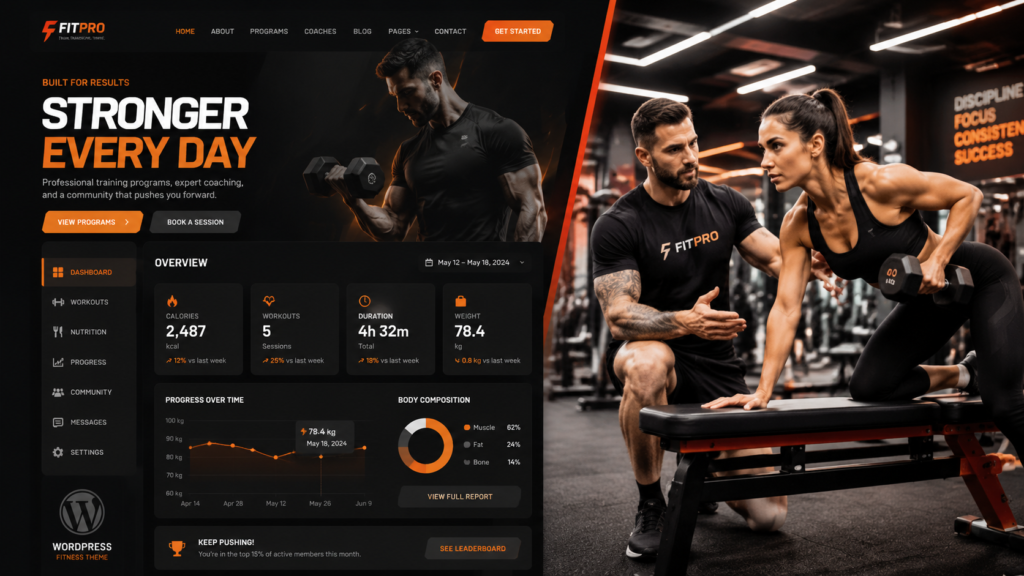
I still remember the first time I helped a small local gym plan its online home. The gym had clean equipment, kind coaches, and happy members. But online, it looked almost invisible. People could not find class times, prices, or a trial booking button.
That is when I understood one simple thing: how to create a gym website is not only a design question. It is a trust question. A good gym website makes people feel, “Yes, this place is for me.”
In this guide, I will explain how to create a gym website in simple steps, with real tips from work and client questions.
Table of Contents
Why Your Gym Website Matters Before People Visit
Many people check a gym online before they walk inside. They look at photos. They check the class schedule. They compare prices. They read reviews. They want to know if the gym feels friendly, clean, safe, and worth their time.
This is why how to create a gym website matters. Your website is often the first door of your gym. If that door looks confusing or old, people may leave.
A good gym website should show your brand, answer simple questions, and help people act fast.
| Visitor Question | Your Website Should Show |
|---|---|
| Is this gym right for me? | Clear brand story, real photos, member success stories, and available programs |
| Can I afford it? | Simple pricing plans, membership options, and any current offers |
| When are classes? | Easy-to-view class schedule with times, instructors, and booking options |
| How do I join? | Free trial offer, online booking form, membership sign-up button, and clear next steps |
| Can I trust them? | Customer reviews, testimonials, trainer and coach bios, certifications, and real gym photos |
If your website answers these questions, your gym already feels easier to trust.
Start With Your Gym Story and Clear Goal
Before design starts, I always ask one question: “What should this website do?”
Some gym owners want more trial bookings. Some want personal training leads. Some want online coaching sales. Some want members to book classes without calling.
So before learning how to create a gym website, write down one main goal.
Your gym story is also important. Are you a family gym, boxing gym, women-only studio, CrossFit box, or yoga space? Your website should not sound like every other gym. Use simple words and tell people what you help them do.
For example:
- “Train with coaches who know your name.”
- “Get stronger in a friendly space.”
- “Book your first class in under one minute.”
- “Join a gym where beginners feel welcome.”
This type of message feels real and helps visitors connect faster.
Pages You Need When Learning How to Create a Gym Website
A gym website does not need to be huge. It needs to be clear. When I build or plan a gym website, I like to start with the most useful pages first.
| Page | Main Purpose | Best CTA |
|---|---|---|
| Home | Show your gym, highlight your unique benefits, and introduce your main offer | Book a Free Trial |
| About | Share your story, mission, values, and introduce your coaches | Meet Our Coaches |
| Programs | Explain fitness classes, personal training, and specialized services | View Programs |
| Schedule | Help visitors find convenient class times and plan their workouts | Reserve a Spot |
| Pricing | Present clear membership options, packages, and pricing details | Join Now |
| Reviews | Build credibility with member testimonials, success stories, and ratings | Start Today |
| Contact | Provide location details, opening hours, phone number, email, and map | Contact Us |
The homepage should be simple. Put your main offer near the top. Do not hide the join button. Make it easy to see what your gym does, who it helps, and what the visitor should do next.
The pricing page should also be clear. Many owners hide prices because they want calls first. I understand that idea, but clear pricing can build trust. Even “starting from” prices can help.
Need a professional WordPress gym website built for trust and conversion? Our team can design it for you.
Simple Design Tips for How to Create a Gym Website
Good design does not mean using too many colors, big effects, or fancy words. Good design means people understand your gym fast.
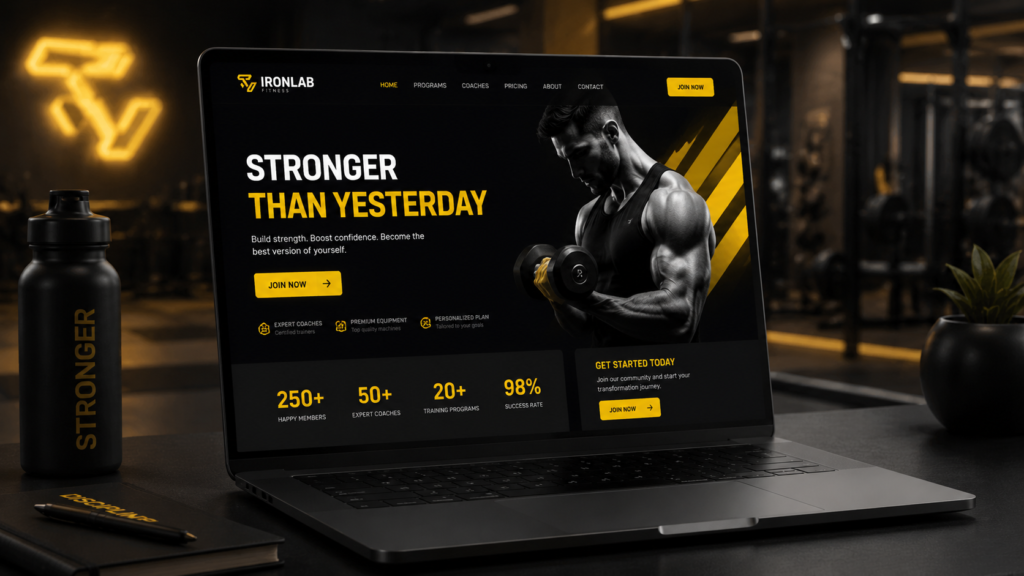
Visitors should feel the gym energy right away. Use real photos if possible. Show coaches, clean equipment, class moments, and happy members. Stock photos can work for a short time, but real photos feel warmer.
This is a key part of how to create a gym website that feels human. People join a place, a coach, and a feeling.
Keep your menu short. Use simple page names. Make buttons easy to find. Make sure the phone version looks great.
| Design Element | What Works Best | What to Avoid |
|---|---|---|
| Colors | Use 2–3 consistent brand colors that reflect your gym’s identity | Using too many bright or conflicting colors that create visual clutter |
| Photos | Showcase real gym facilities, trainers, members, and success stories | Relying only on generic stock photos that feel impersonal |
| Fonts | Choose clean, modern, and easy-to-read fonts with clear hierarchy | Overly decorative or fancy fonts that reduce readability |
| Buttons | Use clear action-oriented text like “Book a Free Trial” or “Join Today” | Generic labels such as “Submit” or “Click Here” |
| Layout | Add plenty of spacing between sections and maintain a clear visual flow | Crowded pages with large text blocks and little white space |
A clean website feels professional and helps visitors take action.
Booking, Pricing, and Member Sign-Up Features for How to Create a Gym Website
A gym website should not only look nice. It should help the business work better.
When I explain how to create a gym website to gym owners, I always talk about booking. If someone wants to try a class, do not make them search for ten minutes. Give them a clear button. Let them choose a time. Ask for only the details you really need.
Strong features can include class booking, trial forms, membership sign-up, online payment, waiver forms, trainer pages, Google Map, phone buttons, email forms, and a blog.
For a small gym, start simple. You do not need every feature on day one.
If your best offer is a free trial, place it on the homepage, program pages, and pricing page. If your best offer is a personal training call, use that CTA everywhere.
Our WordPress website design team can create a gym website with clean pages, a mobile layout, booking sections, and strong CTA areas.
Local SEO Tips for How to Create a Gym Website
You may have the best gym in your city, but people must find it. That is where local SEO helps.
Local SEO means your website is ready for people searching near you, like “boxing gym near me” or “best fitness studio in [city].” Your site should give clear signs about your location and service.
When learning how to create a gym website, add your city name naturally. Use it in the homepage title, service headings, contact page, and image names. Add your full business name, address, and phone number. Keep this same information everywhere online.
Also add a Google Map on the contact page. Create helpful blog posts like “Best Beginner Gym Classes in [City].”
SEO is not magic. It is a steady habit. Clear pages, useful content, fast speed, mobile design, and local signals all help.
Personal Experience: What I Have Seen Work Best
From my own work, I have seen one mistake again and again. Many gym owners talk too much about equipment and not enough about the member.
Yes, equipment matters. But new visitors often think about fear, time, price, and comfort. They ask, “Will I feel judged?” “Can I keep up?” “Will someone help me?”
So my personal tip is simple: write for the nervous beginner, not only for the strong athlete.
When I plan how to create a gym website, I like to add warm lines like
- “New here? We will guide you.”
- “No fitness level needed.”
- “Come in for a friendly first session.”
- “Our coaches help you start safely.”
These words reduce fear. They make the gym feel more open.
Another real-life lesson is about photos. One gym had only empty room photos. It looked clean but cold. When they added coach photos, class photos, and member smiles, the website felt alive.
My opinion is this: your gym website should not only sell. It should welcome.
Cost Factors When Planning How to Create a Gym Website
The cost of a gym website depends on what you need. A small site costs less. A full site with booking, payment, memberships, and custom design costs more.
Website Type Good For Cost Level: Basic gym website New gyms that need online presence (low standard) WordPress site pages, forms, SEO, and mobile design. Medium-advanced gym website Booking, payments, and member area Higher Redesign Project: Old gym websites needing a fresh look depend
Before you pay, list what you need now and what can come later. It saves money.
If you are serious about how to create a gym website, do not only ask, “How cheap is it?” Ask, “Will this website help me get leads, save time, and build trust?”
A cheap website that brings no leads is not really cheap.
WordPress Gym Website Help From Our Team
I can share the ideas as one person, but the service side should be handled by a skilled team. Our WordPress website design team focuses on gym websites that are clean, fast, mobile-friendly, and easy to manage.
We can help with homepage design, service pages, class schedule layout, pricing sections, contact forms, CTA buttons, on-page SEO structure, and a professional look.
Our team does not just make pages. We plan what people see first, what they read next, and where they click.
If you want expert help with how to create a gym website, our team is ready to build a polished WordPress website for your fitness brand.
Discuss Your Project Personally via Fiverr 💬
Need a custom quote or custom requirements? Tap below to explore my services and message me directly on Fiverr.
Final Checklist for How to Create a Gym Website
Before your site goes live, check the basics. Small mistakes can stop people from joining.
Make sure your website has a clear headline, real gym photos, an easy mobile layout, fast pages, clear pricing, working forms, a clickable phone number, a Google Map, reviews, coach details, a local SEO title, a meta description, and strong CTA buttons.
Conclusion
Now you know how to create a gym website that does more than look good. You also know how to create a gym website that feels clear, useful, and welcoming. A strong gym website tells your story, builds trust, shows your services, makes booking easy, and helps local people find you.
The best gym website is simple, clear, and useful. It should feel like your gym. It should answer real questions and guide visitors toward the next step.
My final advice is this: do not build a website only for yourself. Build it for the person who is nervous, busy, and looking for a reason to choose you.
FAQs
How to make a website for a gym?
What is the 3-3-3 rule in the gym?
It usually means 3 strength days, 3 cardio days, and 3 recovery days. Some trainers use it as 3 exercises, 3 sets, and 3 rounds.
How much does a gym website cost?
It depends on design and features. A basic site costs less. Booking, payments, and custom features cost more.
Do gyms need websites?
Yes. A website helps people find your gym, trust your brand, check prices, view schedules, and contact you.